
Clone Hero V1.1 Leaderboards is out!
Clone Hero V1.1 is here, and with it, the official release of Clone Hero Leaderboards! This is a huge milestone for Clone Hero, and we are very excited to share with you all the work we have been doing for the past 2 years. Make sure to read all the way to the end to discover all the features and surprises we have in store for you!

Clone Hero Leaderboards
This is what you’ve been waiting for. Clone Hero now has fully integrated, official leaderboards. This has been one of the most requested features the community has asked for, and today it’s finally here.
Two ways to play
The game now offers two distinct modes to choose from: Regular and Leaderboards. Regular mode is your traditional Clone Hero experience; local scores, no account needed, exactly as you know it. Leaderboards mode connects you to the CH Leaderboards servers, where every score you set is submitted, validated, and posted publicly for the world to see.
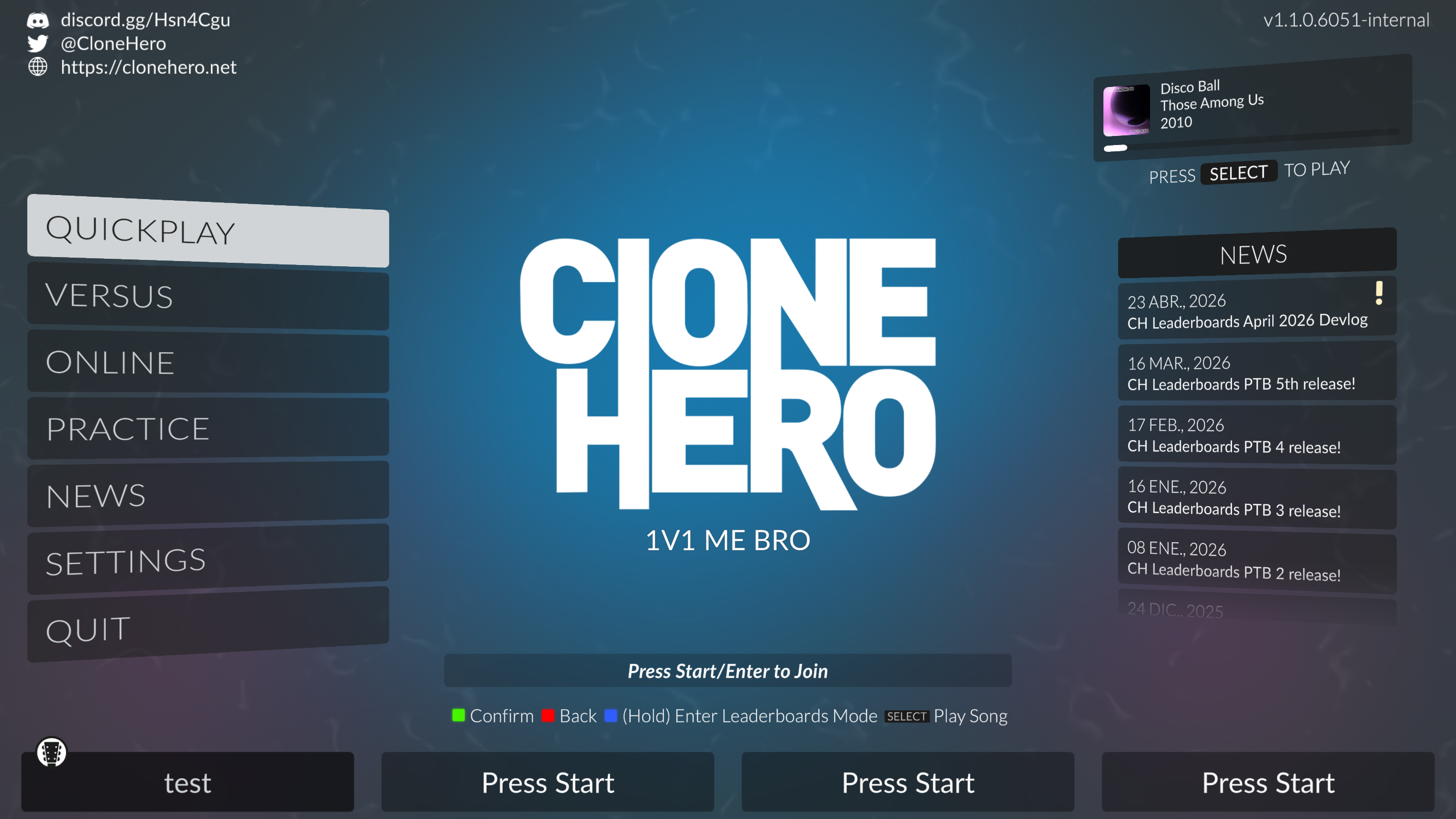
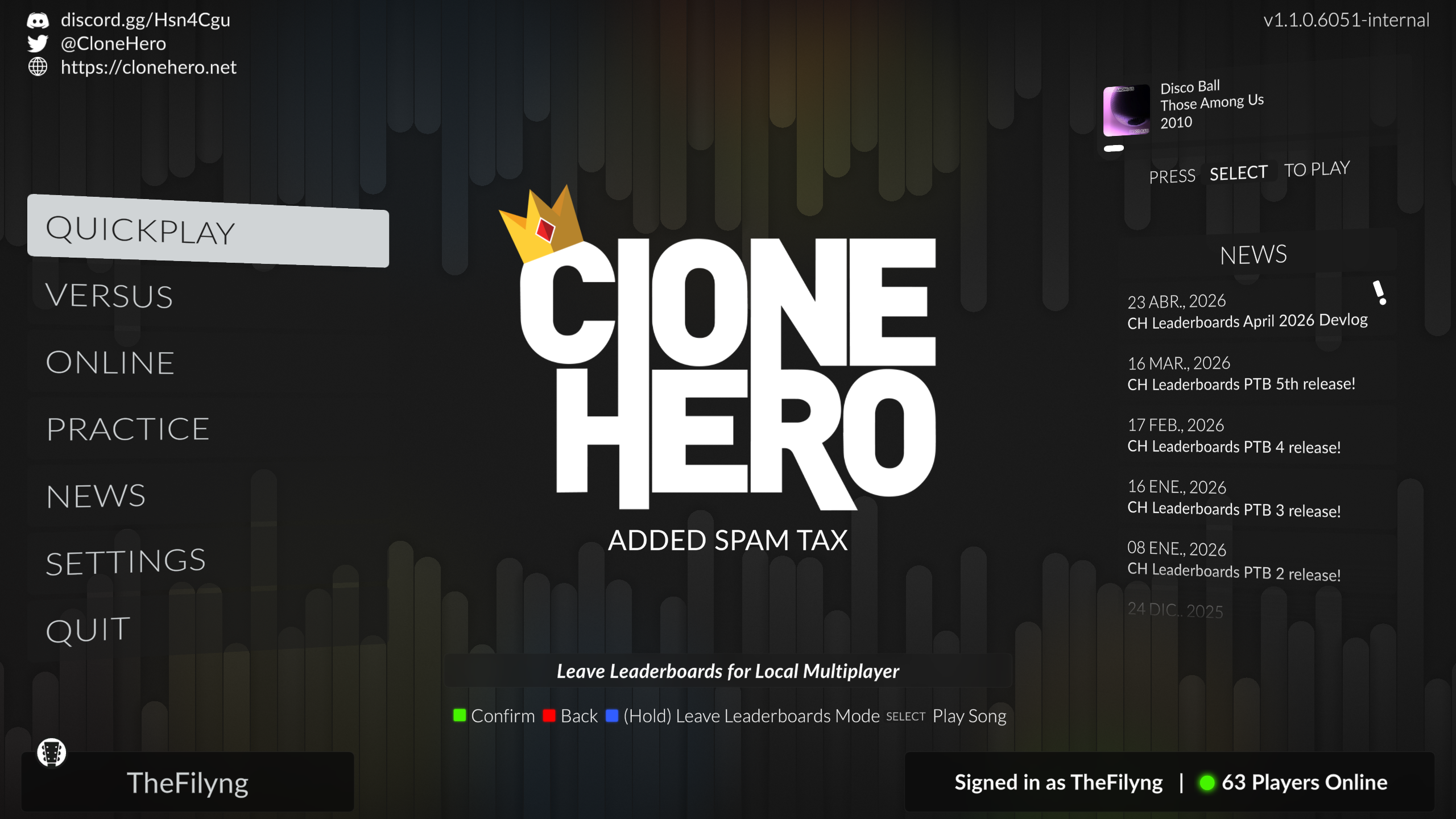
You can switch between the two modes at any time from the main menu, by holding the blue button, kick button or White 1 on 5 fret guitar, drums or 6 fret guitar, respectively. To get started with leaderboards, simply log in with your CH Leaderboards account, and you’re off.
You must create a CH Leaderboards account to submit scores, you can do that either directly from the CH Leaderboards website, or during the login process in-game (which will open the website for you to create your account, then you can log in).
The song list
In leaderboards mode, the song list gets a whole new look. Each song now shows a condensed info panel alongside the current leaderboard for that chart, including your personal ranking and stats if you’ve submitted a score. In-menu leaderboards update live, so if someone posts a new score while you’re browsing, it shows up right away.
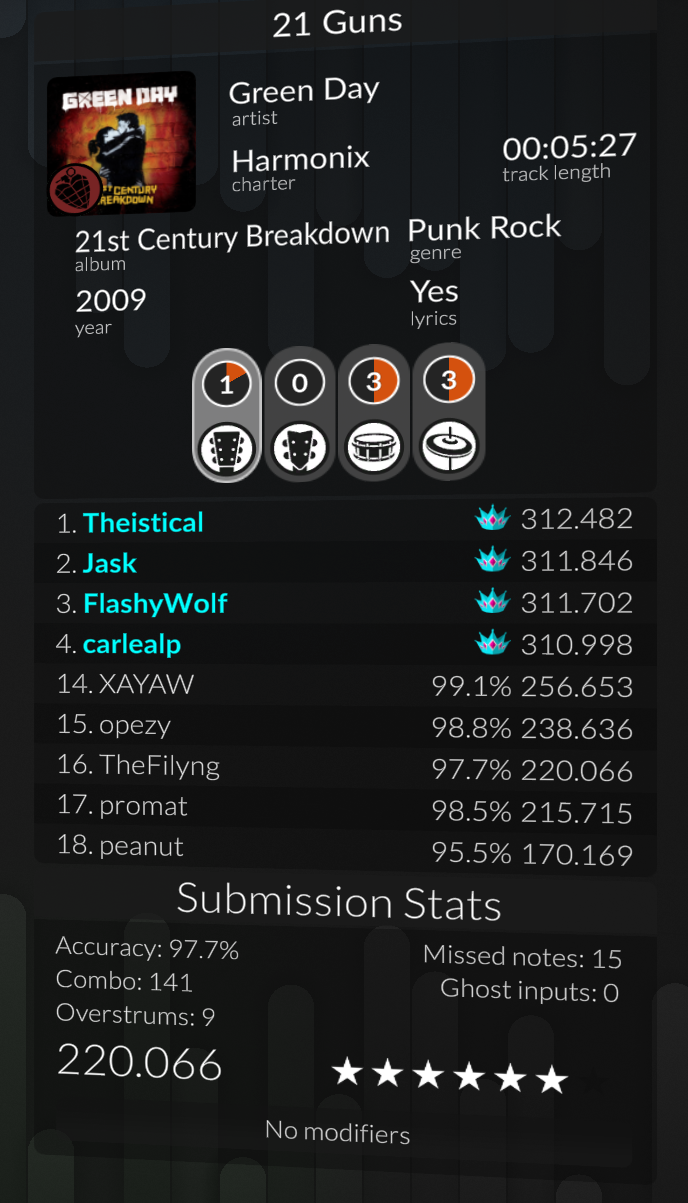
Leaderboards are also modifier-aware: selecting 125% speed or Brutal mode will show you the leaderboard specific to those modifiers.
In-game competition
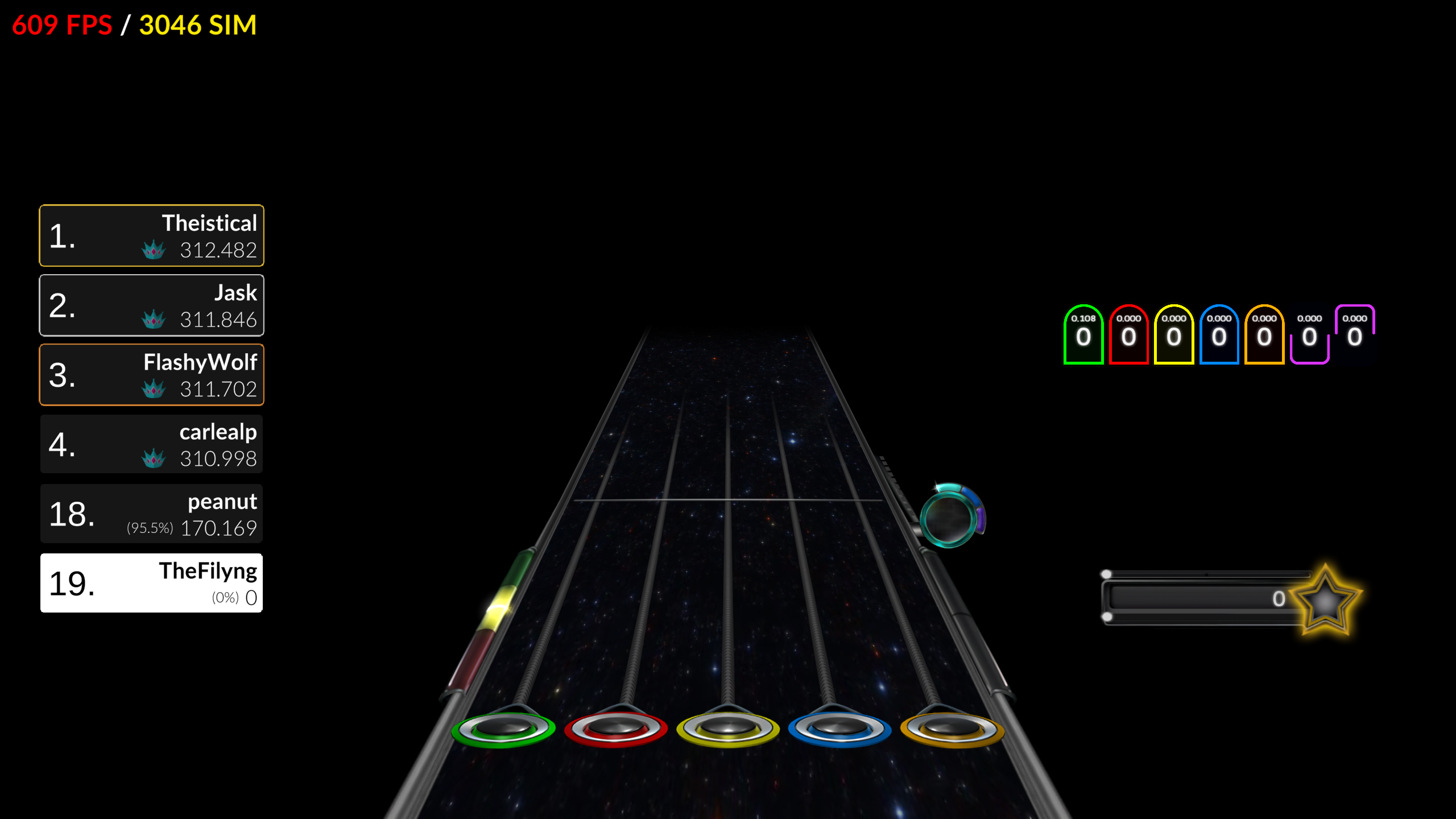
While you play, you can see exactly where you stand. The in-game leaderboard HUD displays the top 5 scores for the chart, updates as you play, and shows your accuracy and FC status in real time. If you’re in the top 5, your name will appear right there alongside the competition, motivation to push through to the end.
Restrictions
Leaderboards mode is only available for single player. This means that you can only submit scores in Quickplay when in leaderboards mode. If you want to play Versus, co-op or Online, you must switch back to regular mode. This is because of technical limitations of our leaderboards infrastrcture and score validation systems.
Score validation and fairness
Every score submitted in leaderboards mode is verified by our servers to make sure it’s legitimate. After months of public testing through our PTB program, we’ve gotten score verification to a near-perfect accuracy rate of 99.9%. This means there is still a small and slight chance of score desync in our servers, but the vast majority of every run submitted will be correctly verified and posted without any issues. We will still be monitoring and working hard on resolving any edge case that may arise.
The leaderboards website
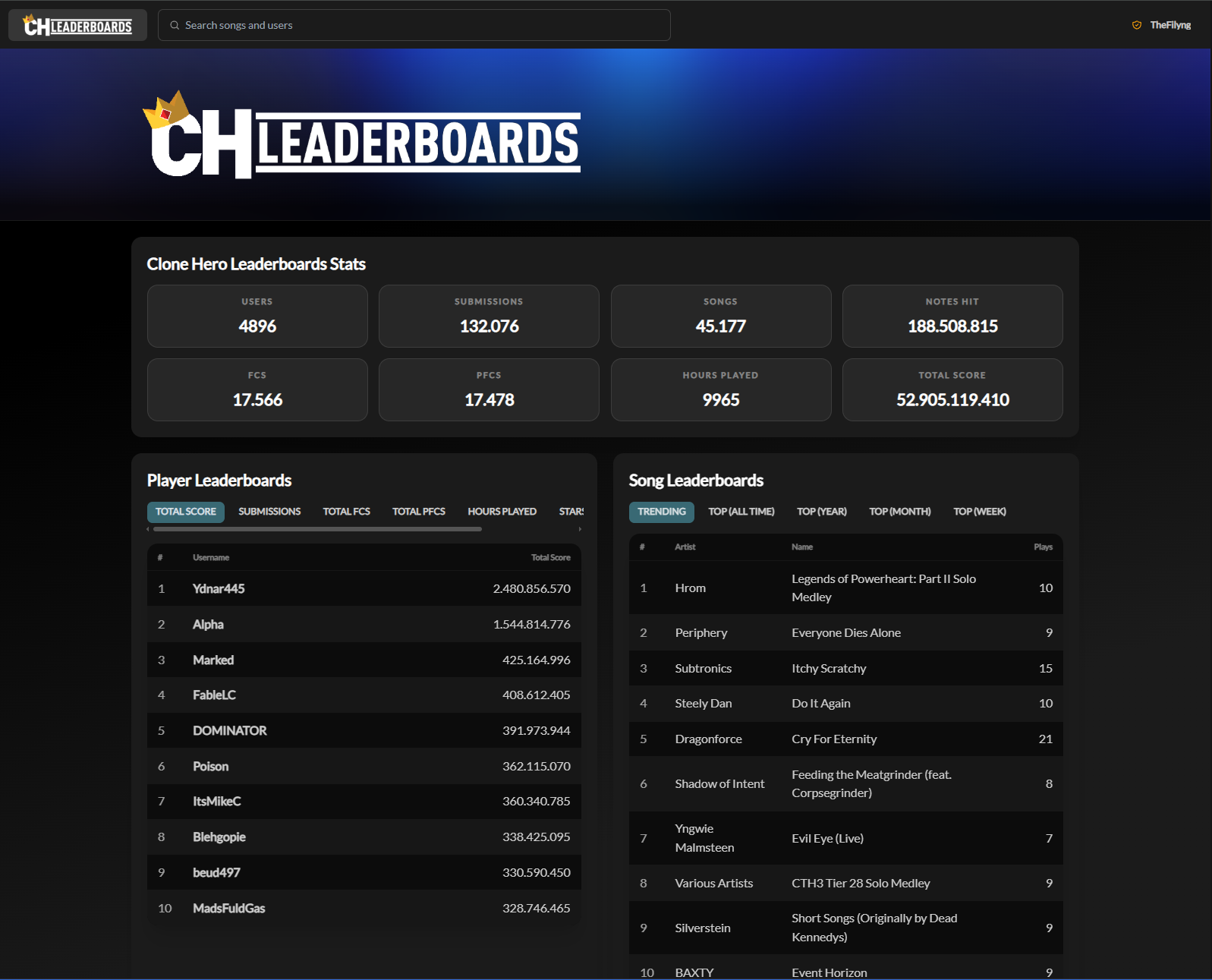
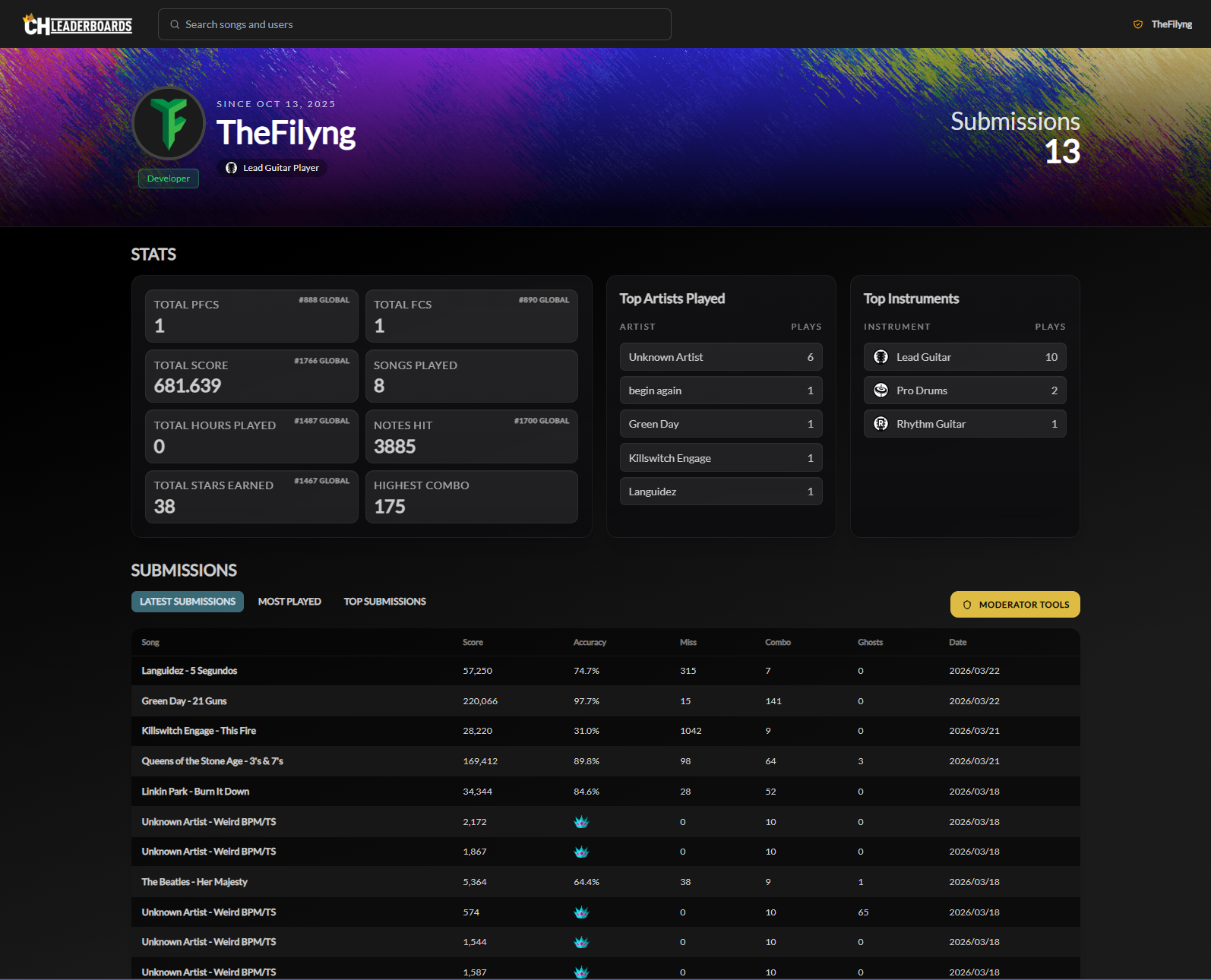
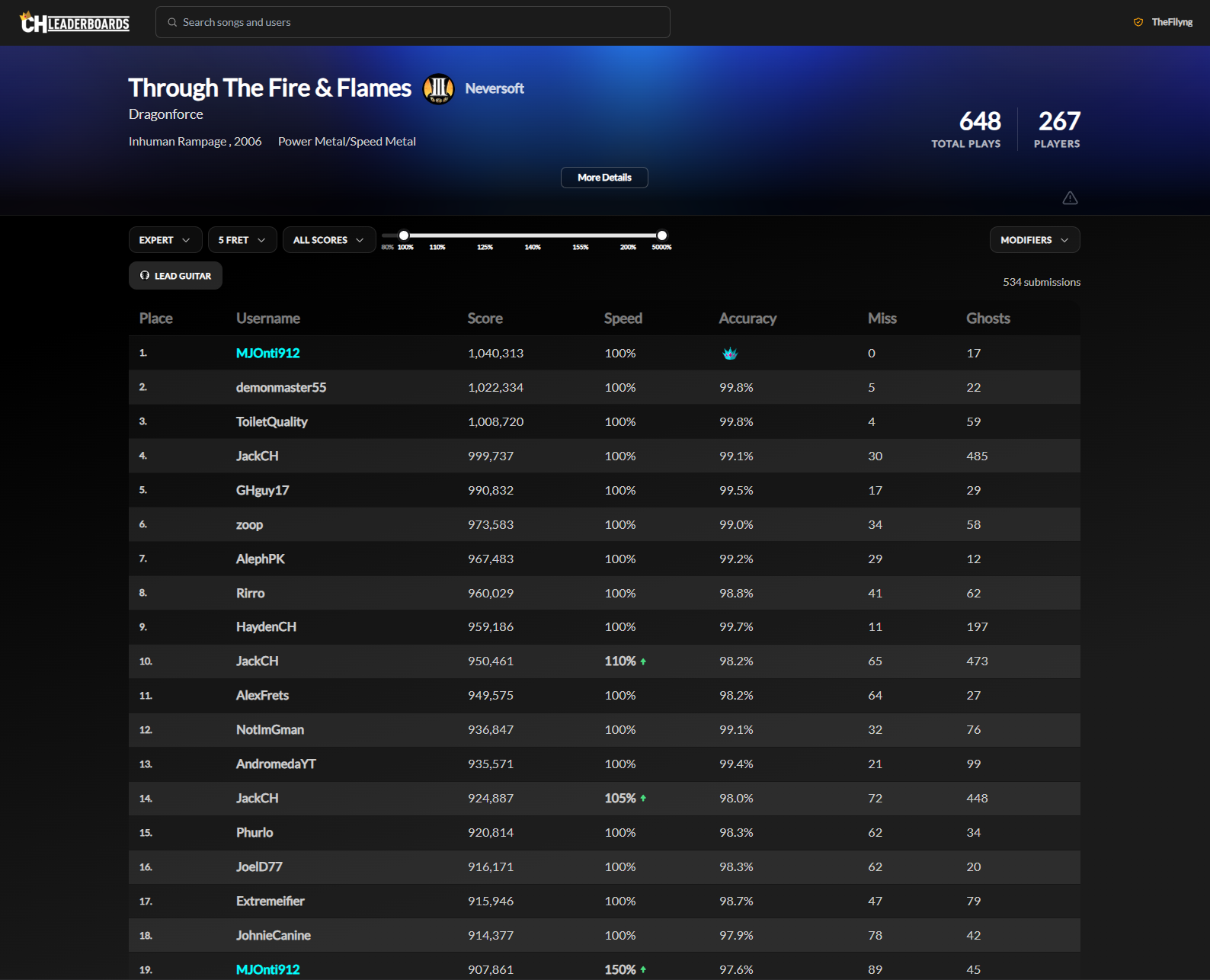
Alongside the game, the CH Leaderboards website lets you browse global rankings, view individual player profiles with all their submissions, check score tallies, see FC and PFC status on runs, and much more, without even launching the game. Your in-game profile and your website profile are one and the same.
Regions
The leaderboards infrastructure runs across multiple regions to give you the best experience based on your location. At launch, US and EU regions are available. This doesn’t mean that US and EU players are separated into different leaderboards, all players compete on the same global leaderboards regardless of region, but it does mean that while playing you will be connected to the server closest to you, for the fastest and most reliable experience possible.
Clean Play Bonus and Perfect FCs
Leaderboards aren’t just about who hits the most notes. V1.1 introduces new mechanics that reward truly clean play.
Clean Play Bonus
The Clean Play Bonus is a new, per-note bonus that rewards you for playing exactly what the chart asks of you and nothing more. It’s built around the new ghost meter, a bar with 3 segments that charges as you hit HOPOs and tap notes, and depletes as you perform ghost inputs (fret presses that don’t hit any note).
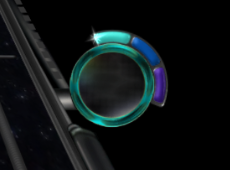
Depending on which segment the ghost meter is sitting in, you earn 2, 1, or 0 bonus points for each note you hit. The bonus is only awarded when you’re at a 4x multiplier or haven’t missed a note yet, so you will need to play well to earn this bonus. The ghost meter increases and decreases based on your ghost inputs on HOPOs and taps only. This means that if you ghost a certain amount during a HOPO or tap section, you will decrease the ghost meter. On the other hand, you can recover the ghost meter by hitting HOPOs and taps cleanly.
Crucially, ghost inputs will never break your combo or make it harder to hit notes, the clean bonus is purely an addition to the scoring system, not a punishment, but if that’s your thing, try the Deadly Ghosting modifier, where you will break combo if your meter goes below the first segment.
Perfect Full Combos
If the ghost meter stays in its top segment for an entire song without losing your combo, you’ve achieved a Perfect Full Combo, or PFC. This shows up as a special designation on the leaderboards and your local scores, and is a mark of exceptionally clean play.

To help you track your run, a new PFC ring appears on screen to let you know whether you’re currently on track for one. You’ll see the moment you lose it, so you always know where you stand. You can also sort your song list by PFC status, making it easy to see at a glance which songs still have a PFC to chase.
Squeeze Detection
The game now tracks star power squeezes, a technique where you intentionally play a note early or late in the hit window to play it while Star Power is active. The end-of-song screen now shows how many notes you squeezed, for how many points, and also tracks Squeeze Loss for when playing a note early or late results in it being played when Star Power was not active.
Dynamics Full Combos
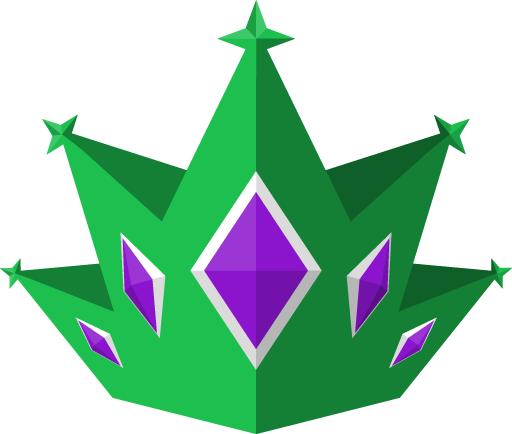
For drums, there’s now an additional layer of challenge and reward: the Dynamics Full Combo. This is awarded for a Full Combo where you also hit all the dynamics accurately throughout the song, meaning you hit every single accent and ghost note correctly. The song must have at least 1 dynamic note for it to count as a Dynamics FC. Like the regular PFC, this is indicated on the leaderboards and has its own special crown. It should be noted that due to technical limitations in our scoring savefile system, this is only available on Leaderboards mode and not in regular mode, and will show in your submission stats in-game and on the leaderboards website only.
New instruments and controller support
Xbox One instruments, natively
Xbox One instruments are now supported natively in Clone Hero, with no third-party software like RB4InstrumentMapper required. Compatible instruments include the Madcatz RB4 Stratocaster, RB4 Jaguar and the PDP Riffmaster. Controller calibration and remapping are also available directly in the controller mapper for these instruments.
6-Fret Keys
A brand new instrument joins the lineup: 6-Fret Keys! It plays just like 6-Fret Lead, Rhythm, and Bass, with a layout and feel you’ll find familiar if you’ve played any of the other 6-fret instruments. Full leaderboards support is included from day one.
MIDI improvements
MIDI devices are now remembered between game restarts, so you won’t need to reconfigure your setup every time you launch. MIDI drums also now work even when no other controllers are plugged in.
New gameplay features
Note Color Shuffle
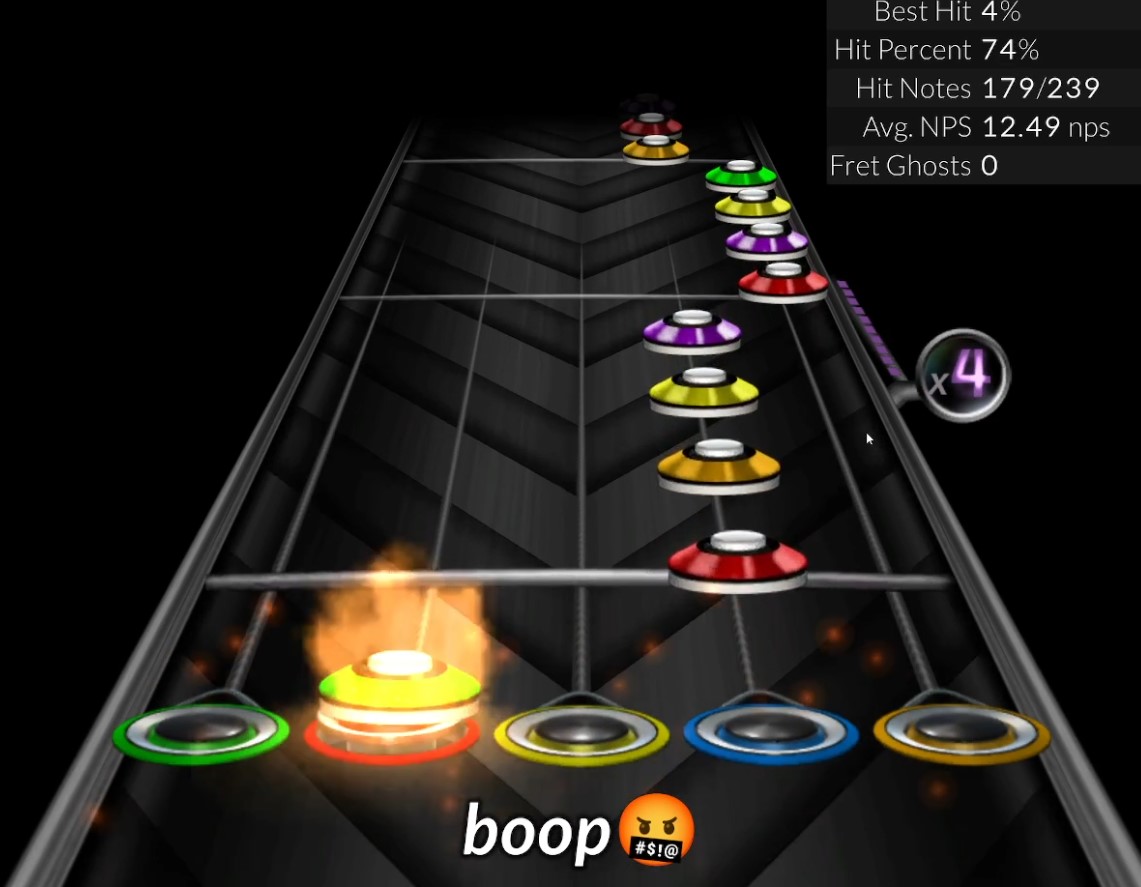
Note Color Shuffle randomizes the colors of the notes on the highway.
Star Power End Visualization
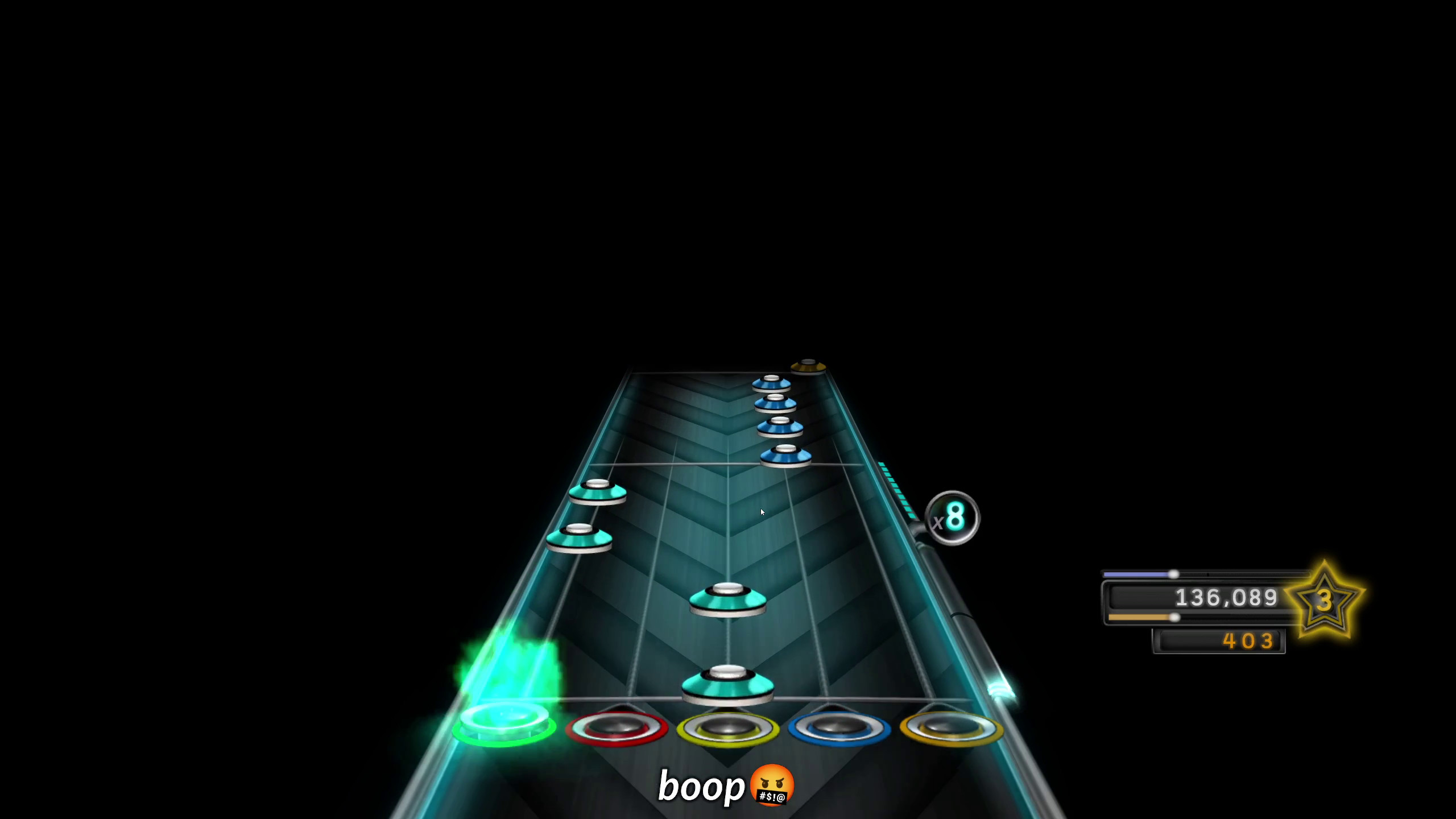
The game can now visually indicate when your current Star Power activation is about to end, by fading note colors as the activation winds down. This makes it much easier to see which notes fall within your activation window and spot squeeze opportunities on the fly, even on songs you’ve never played before.
Stem Attenuation
In single-player mode, on charts that provide split audio tracks, the game can now automatically lower the volume of the instrument tracks that you aren’t playing. This makes it easier to hear your own performance and adds a fun new layer to the Clone Hero experience. This is configurable through the Clone Hero’s audio settings.
Revamped Gamepad Mode
Gamepad mode has been significantly reworked. The new system supports playing notes both on button press and on button release, which makes fast strumming and mixed open/fretted sections feel much more natural, bringing it much closer to how songs play on a guitar controller with alt strumming.
Versus Mode Live Score Tracking
In versus mode, all 4 players can now see the live score difference between them and the next higher place as they play. This also lets people who turn off remote highways be able to tell how well others are doing when playing online.

Clone Hero is now on iOS!
Big news for mobile players: Clone Hero is now available on iOS for the first time ever! iPhone and iPad devices running iOS 15.6 or later are all supported. No more sideloading required, the game is available through Apple’s TestFlight app. Join the test group here and download directly from the app.
Android players aren’t left behind either, this release includes the most stable and polished mobile build we’ve ever put out, with all previously known crashing issues resolved.
Touch controls
Mobile players (both Android and iOS) now have a fully customizable in-game touch interface, allowing you to play guitar, 6-fret, drums, and navigate menus entirely without a controller. Every element of the touch layout can be repositioned and resized to suit your setup and preference.
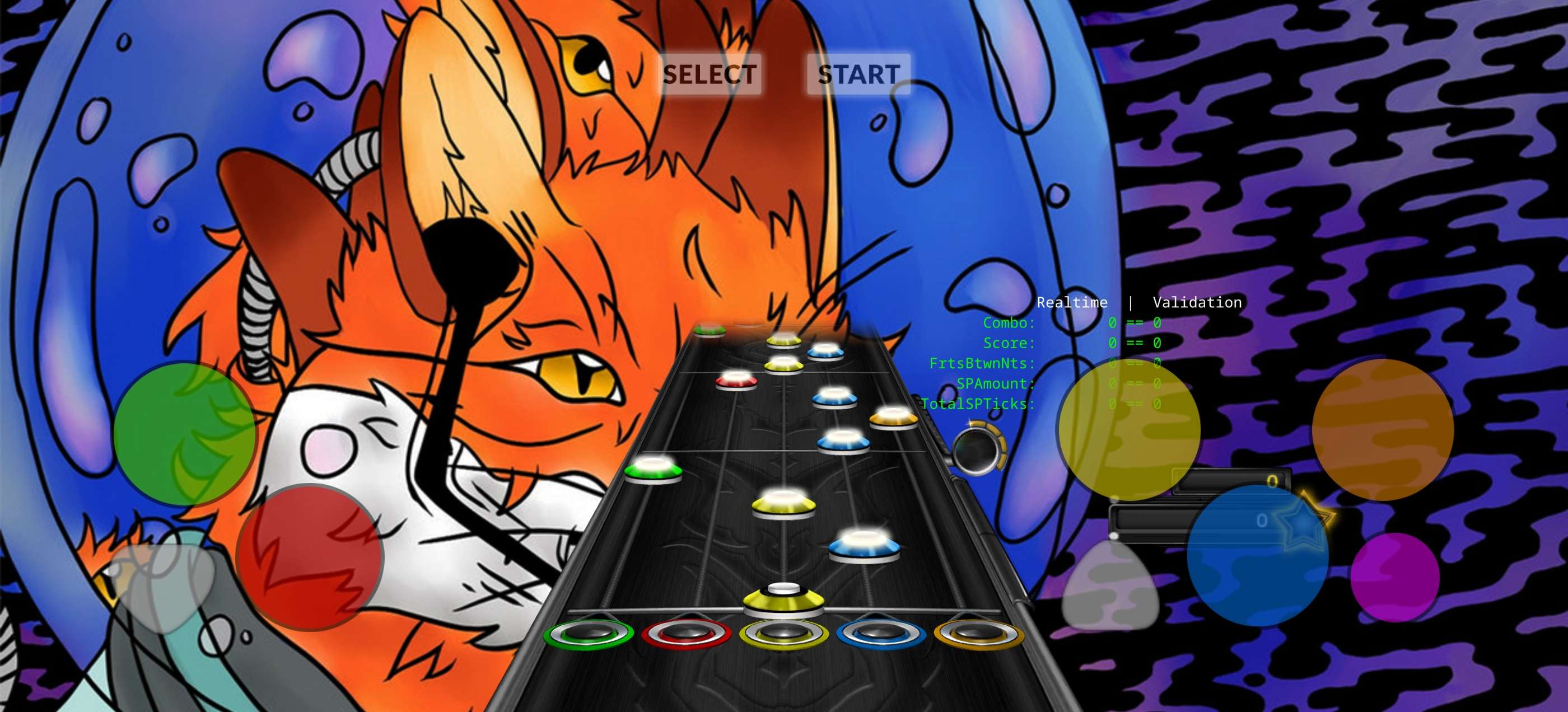
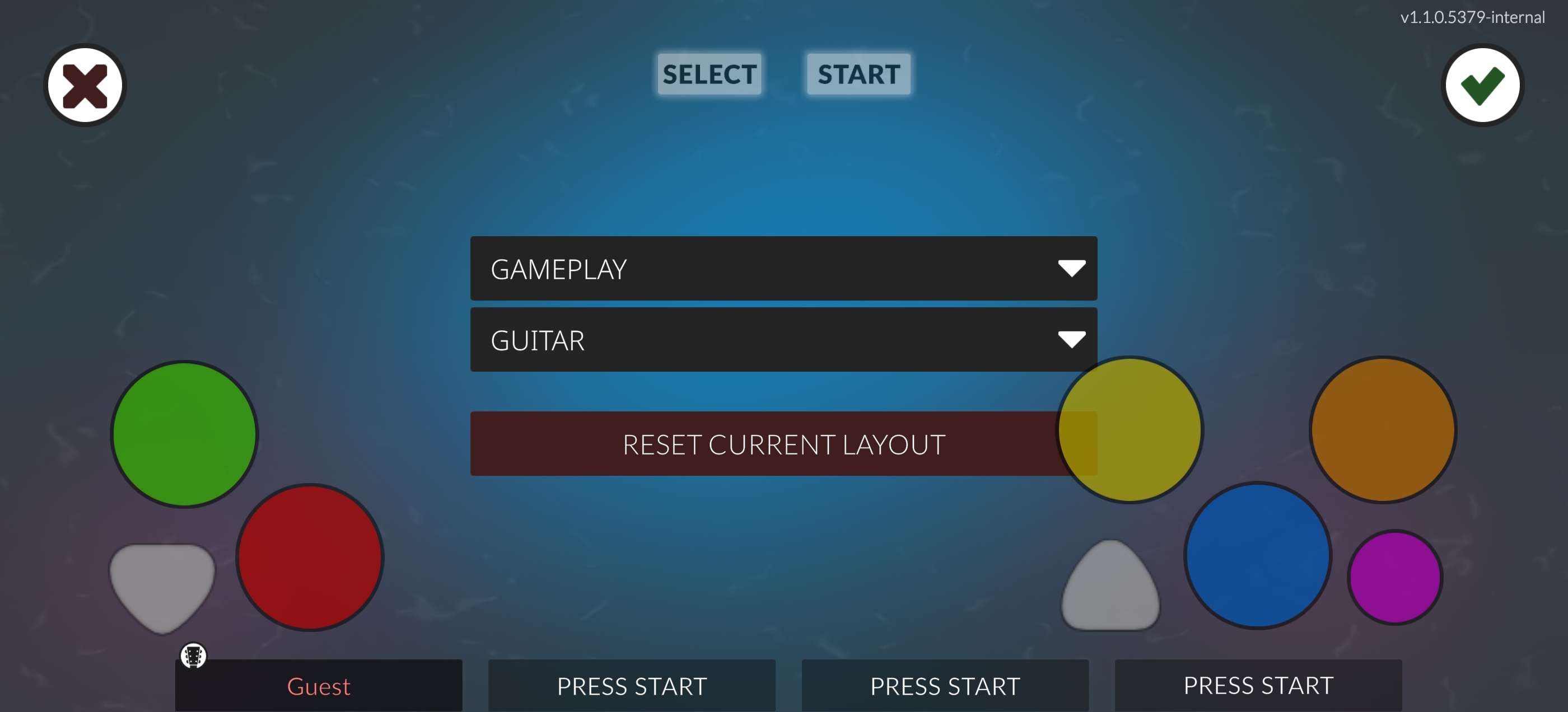
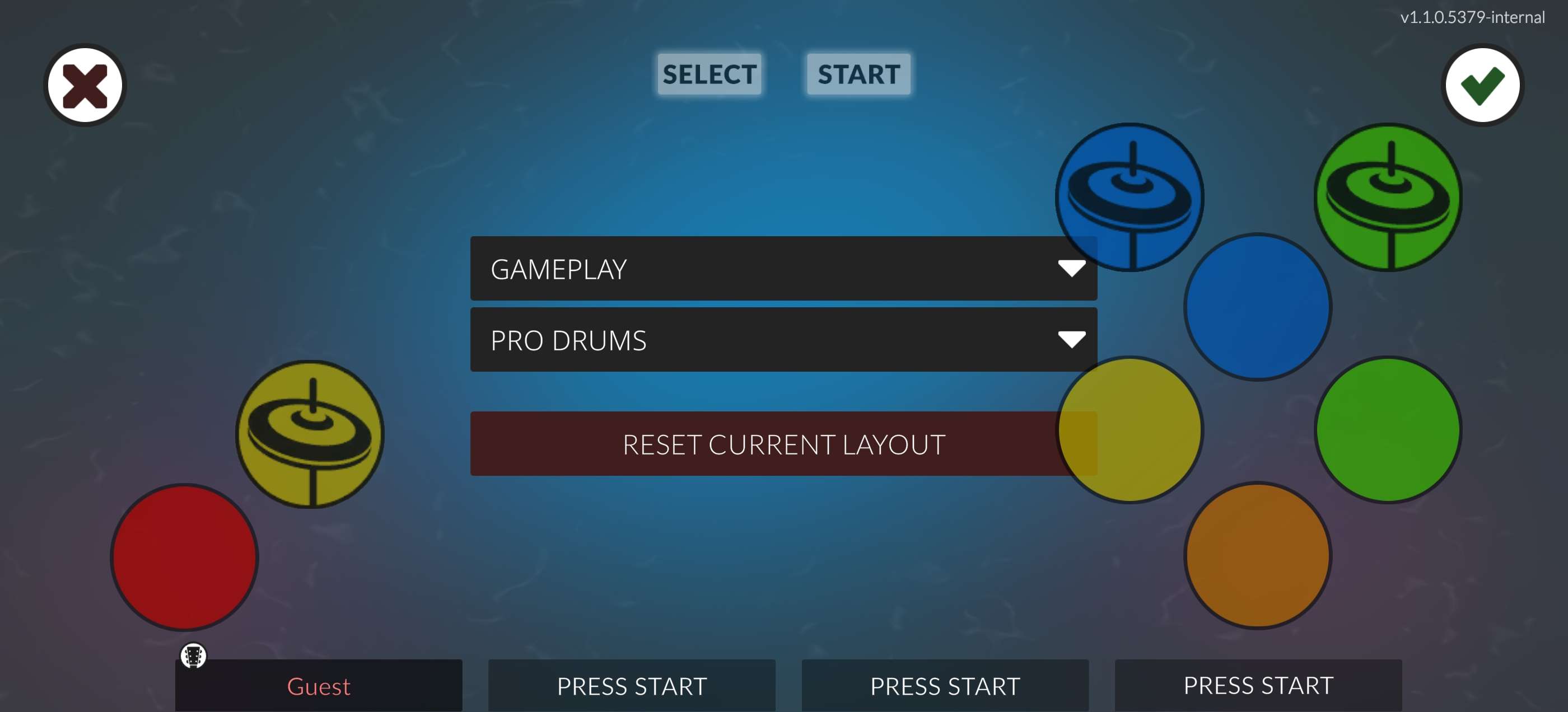

MIDI input is also now fully supported on mobile, giving you even more options for how you want to play.
Polish and quality of life
A lot of attention has gone into making the overall experience smoother and more polished. Here are some of the highlights:
- Lyrics are now generally fixed, resolving rendering bugs related to HTML and colour tags, including in practice mode.
- Emoji support, thanks to a new fallback font, the game can now display emojis in lyrics and player profiles.
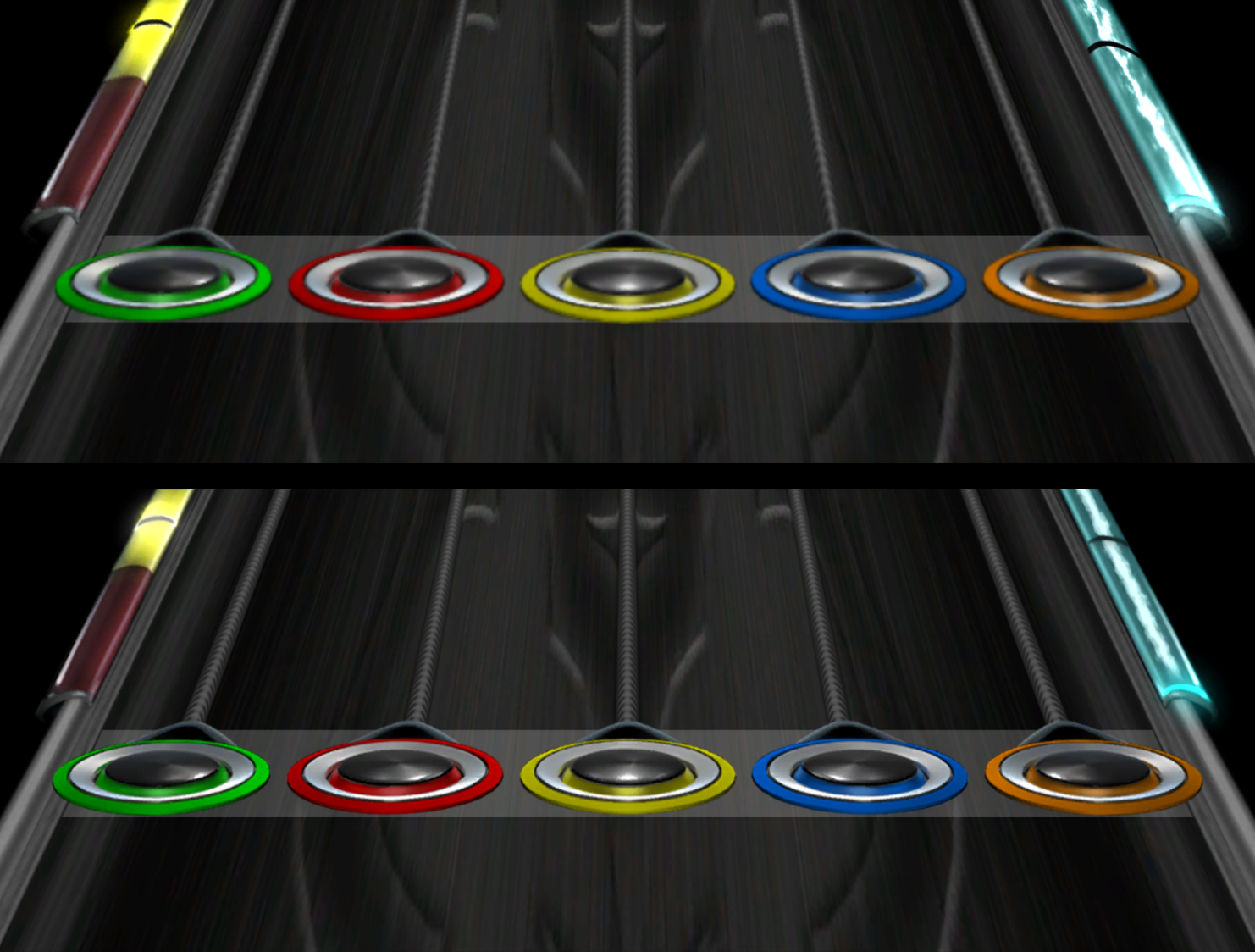
- Texture rework, in-game textures have been improved for higher resolutions. 6-fret textures have been completely remade from scratch.
- The pause menu no longer locks up until the end of the fade animation.
- Button hints now appear before you open or select a profile in the main menu, making the flow clearer for new players.
- A players online count is displayed when in leaderboards mode.
- Song scanning is now up to 2x faster, depending on your hardware.
- Chart parsing improvements fix a range of subtle bugs that previously caused issues with broken chords from older charts, micro sustains, and various drums-specific quirks.
- Open chords are now supported; these are chords that combine an open note with fretted notes at the same time. They’re played by fretting the note without anchoring, and you’ll find them in charts for fingerstyle guitar and electronic music.
New songs
Clone Hero V1.1 expands the official setlist with 13 new songs from a wide range of genres:
- 1.O.M - Challenger
- 3-UP - Fool Around
- Æternity - Discovery
- Alice Kane Wolf - Power On
- Ascension - Set You Free
- Bumblefoot - Chopin Waltz Op64 No2
- Coma Hole - Old Climb
- Cory Hotline - Pressure
- FOXCULT - The Garden
- Jarod Fedele - Galaxies in Harmony
- Pete Mathers - Resurrection
- Shadow of Intent - Saurian King
- Sorrowfuse - The Paranoia
And there are 4 more songs that will be released in the coming weeks after launch.
- Bumblefoot - Planetary Lockdown
- Jarvis9999 - The Last Day of Summer
- Mindiode - Postulate
- SubLunar - Square One
Thanks to Miscellany, 3-UP, Chezy, CyclopsDragon, Drihscol, EvaCH, highfine, Inventor211, Jaded, JRabes, OrangeHat, Spachi and XEntombmentX for their work as the Clone Hero charting team, and also ArenEternal, Boo, ExileLord, Jarvis9999, Mazegeek, Mike Caputo, Moochalacho, ShadeGH and TheGuitarHeroNerd as guest charters.
More surprises!
In addition to all the features mentioned above, we have been working on some secret features not present in the PTBs as a little surprise for the launch. We can finally reveal them now, so get ready.
Input Viewer
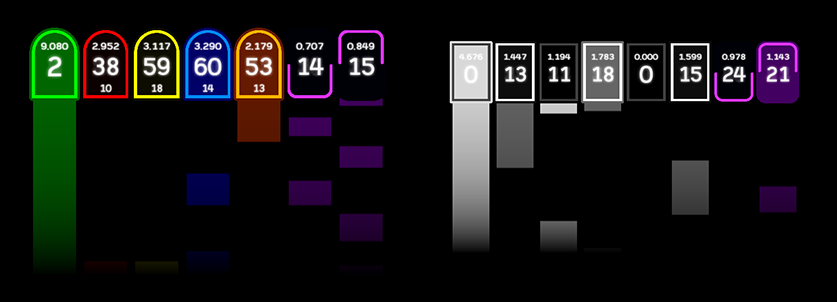
Clone Hero now has a built-in input viewer for the most dedicated players. This allows you to see a real-time visualization and count of your inputs as you play. There is a dedicated input viewer for each instrument; 5 fret guitar, drums and 6 fret guitar! It also includes a “ghost input” counter, which tracks how many ghost inputs you performed in a run for each fret, and a held duration tracker for each note.

We showed it in our V1.1 trailer, but there are more details that weren’t shown there. We know how dedicated players want to measure and track every aspect of their performance, so we have worked on an alternative input viewer mode with trails. This shows a trail of your held note inputs, so you can see exactly how long you held each note and get a visual representation of your strumming rhythm.
Song Favorites
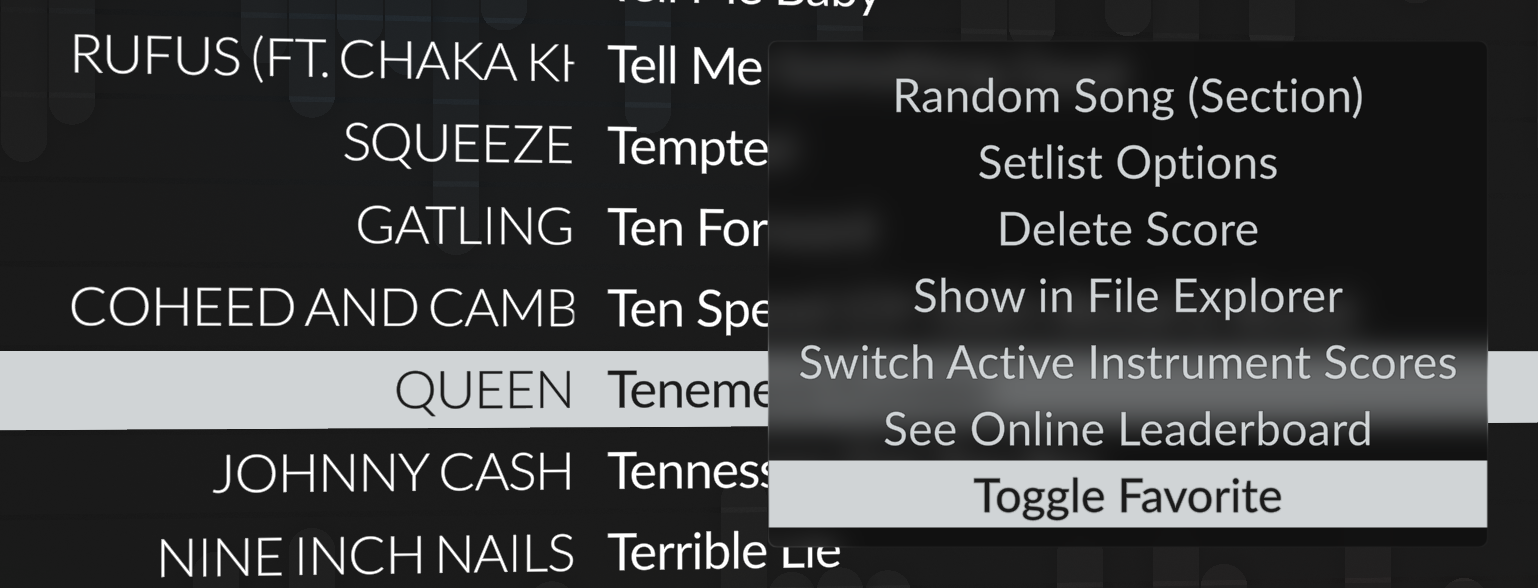
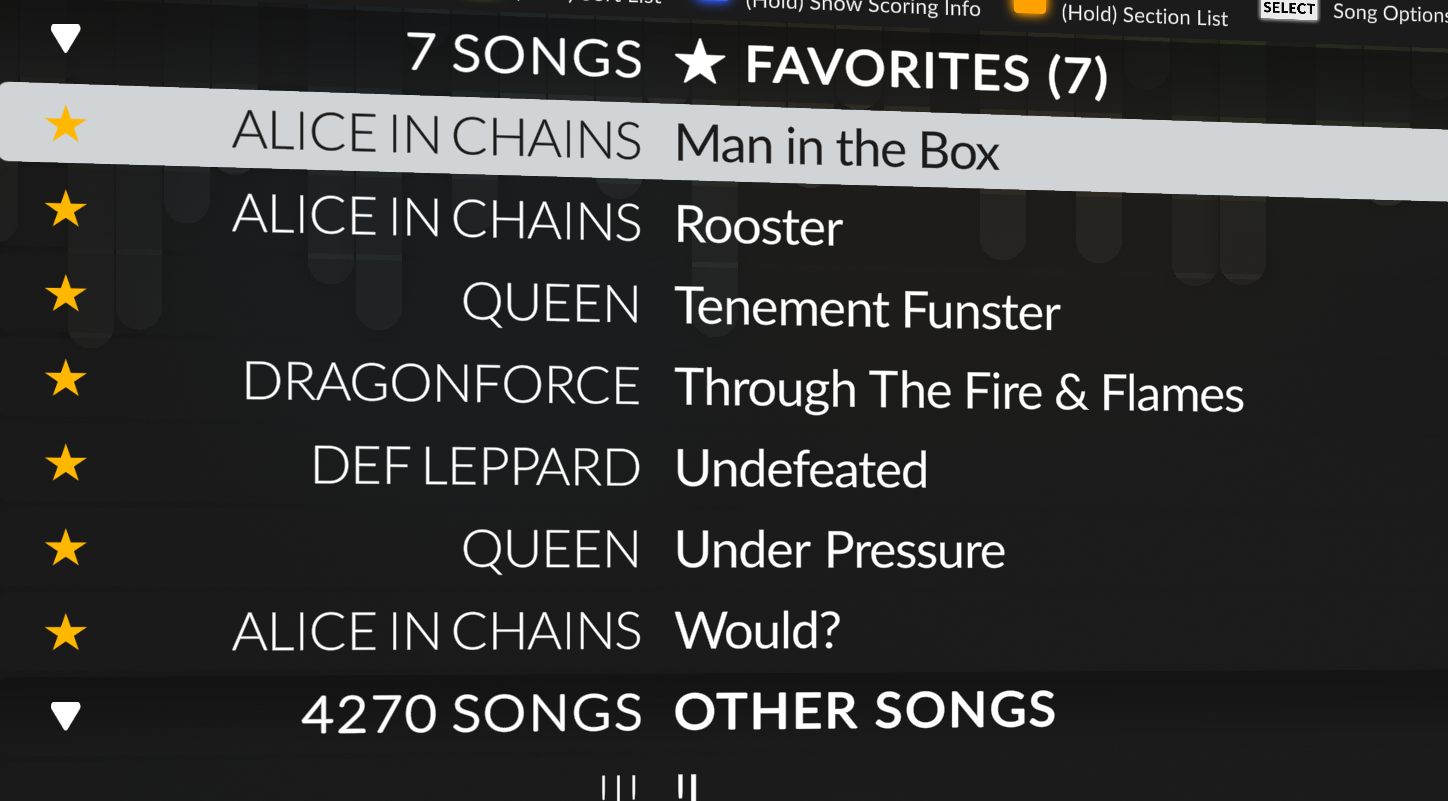
Yes, it’s finally here, after years of requests, you can now mark songs as favorites! In the song list, open the song options and select “Toggle Favorite”. You will also be able to sort by favorites.
Simulated Frames
Simulated Frames are a new feature inspired by Andrea’s mod, a popular mod for Clone Hero. If you are familiar with Clone Hero, you may know that Clone Hero processes inputs depending on the frame rate of the game. This, historically, has made players want to play the game at extremely high frame rates, to get the most responsive experience possible, but this meant that players with less powerful hardware would get impacted.
With Simulated Frames, you can now allow the game to process your inputs at higher framerates than the ones your game is running at based on a multiplier between 1 and 8 of your current framerate. This means that if you have capped your game’s framerate at 100 FPS because that’s the best your hardware can do, and set up Simulated Frames with a multiplier of 4, the game will process your inputs as if you were playing at 400 FPS, giving you a much more responsive experience even at lower framerates. This is a game changer for players with less powerful hardware, allowing them to enjoy the most responsive experience possible without needing to invest in new hardware. If you have “Show FPS” enabled, you will now see two framerates, your actual framerate and your simulated framerate, so you can see the difference this setting is making in real time in a format like this: “100 FPS / 400 FPS” (real and simulated, respectively).
You can find this setting under Video setting with the name Simulated Frame Multiplier. This option is disabled if you have VSYNC enabled.
The Clone Hero Launcher
The Clone Hero Launcher continues to be the easiest way to manage your Clone Hero installs. With V1.1, the launcher is a first-class citizen of the Clone Hero experience:
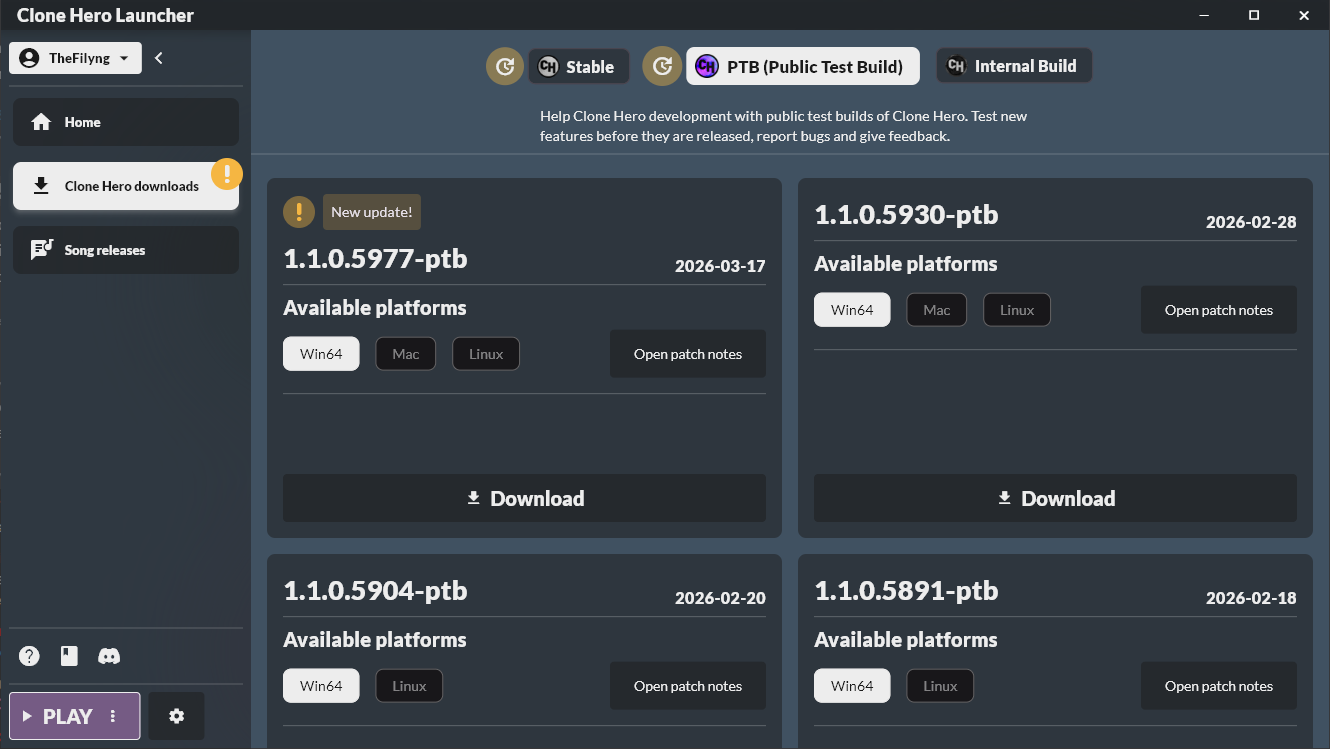
- Game Downloads, Download and manage multiple versions of Clone Hero from one place, including switching between the main release and any future PTBs.
- Song Downloads, Browse and download officially released Clone Hero charts directly from the launcher. The official charting team can now release new songs independently of game updates, and you won’t need charts on disk if you don’t want them.
- Leaderboards mode shortcut, Set the launcher to always launch Clone Hero directly into leaderboards mode, for a seamless login-and-play experience.
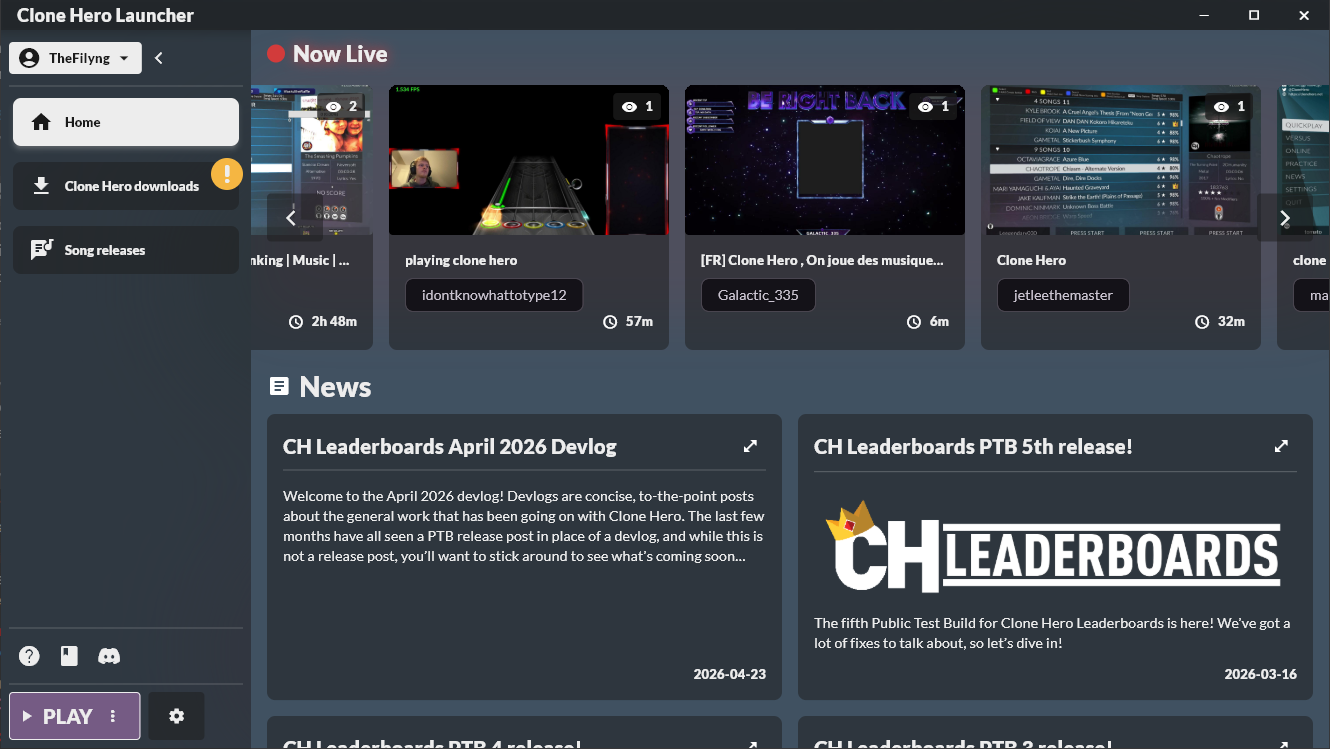
- Twitch Now Live, Discover community members who are streaming Clone Hero live on Twitch, right from the launcher home page.
- Settings management, Adjust in-game settings for any of your installs directly from the launcher.
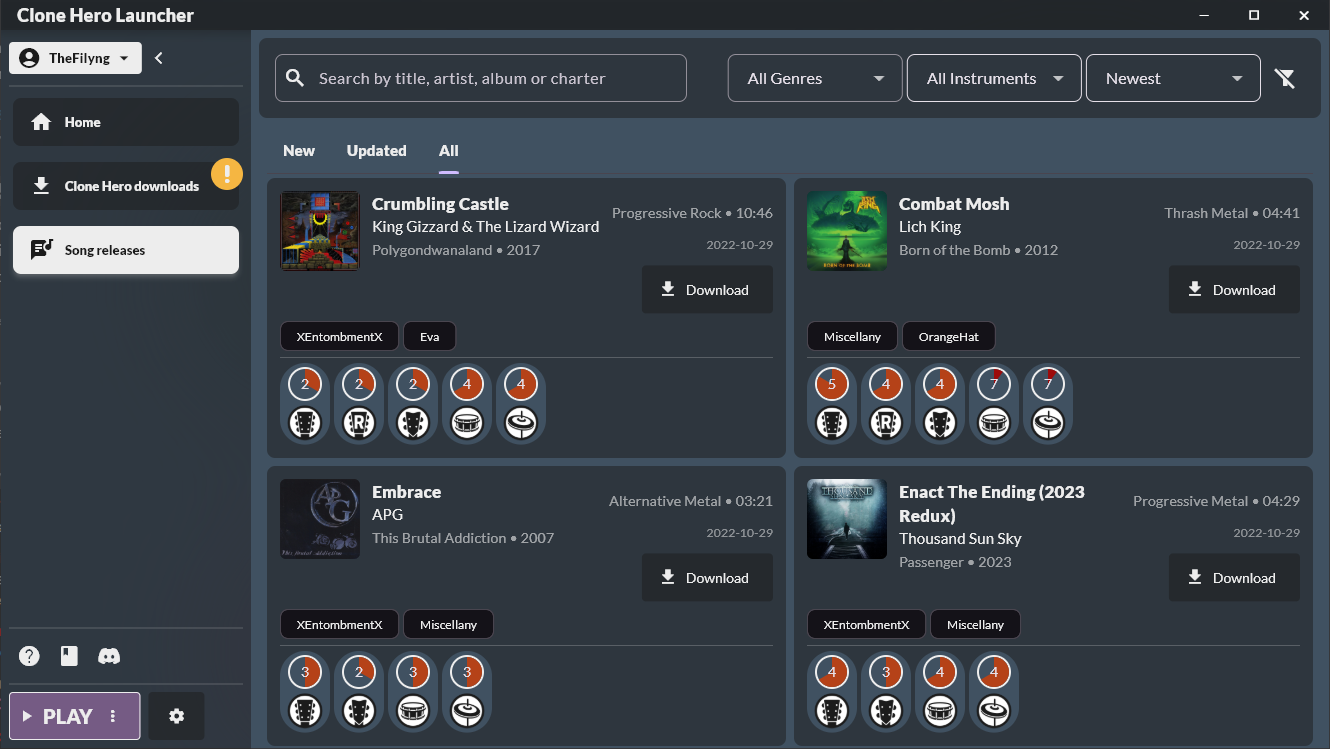
The launcher is available on Windows, Mac, and Linux.
How to download
Clone Hero V1.1 is available right now through the Clone Hero Launcher or via direct download:
- Download the Clone Hero Launcher
- Direct V1.1 download via the Clone Hero Website
For iOS, join the TestFlight group here. For Android, the build is available as usual an .apk download.
Final word
Clone Hero V1.1 and the launch of CH Leaderboards mark the start of a new era for Clone Hero. This update has been two years in the making, and none of it would have been possible without every single player who participated in our PTBs, reported bugs, gave feedback on competitive mechanics, and kept the community going throughout. We want to also thank our charting team who was instrumental on getting new songs ready for this release, and all the people that has helped in our internal testing. This also marks the end of Clone Hero development, this time for good, to shift our focus on our next game, StrikeLine. Clone Hero will still receive bugfixes, especially after the launch of V1.1. After almost 10 years of development, this release marks a new era for the community, and a new beginning for our team. From the bottom of the team’s hearts, thank you.
Now go set some scores!